Free Graffiti Tag Generator
Use Graffiti Tag Generator to create graffiti tags for names, aliases, initials, gamer tags, and signature-style text. Graffiti Tag Generator works best for short inputs, fast identity marks, and compact personal branding visuals.
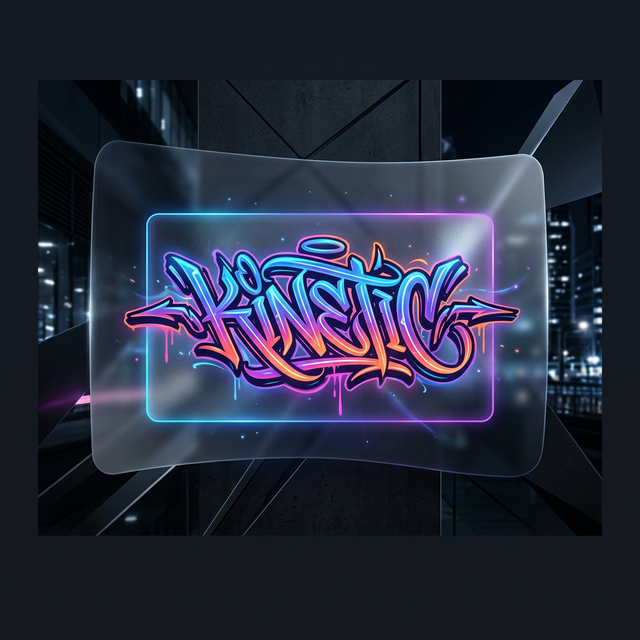
1 / 3
✨ Need bigger scene art beyond short tag workflows?
Try our AI graffiti generator on the home page when you want mural-style visuals instead of a compact signature output.
Graffiti Tag Generator Is Best for Short Names
Graffiti Tag Generator works best when the input is compact. If you want a nickname, artist name, gamer tag, or initials to feel fast and personal, Graffiti Tag Generator is the right place to start.
Graffiti Tag Generator Is Built for Signature-Style Text
Graffiti Tag Generator is designed for short signature-style outputs, not long readable phrases. Graffiti Tag Generator should feel direct, personal, and recognizable at a glance.
Why Graffiti Tag Generator Works Better with Short Text
Graffiti Tag Generator gives better rhythm, stronger shape, and cleaner recognition when the text stays short. That is why Graffiti Tag Generator is a better fit for aliases and initials than for longer logo-style text.
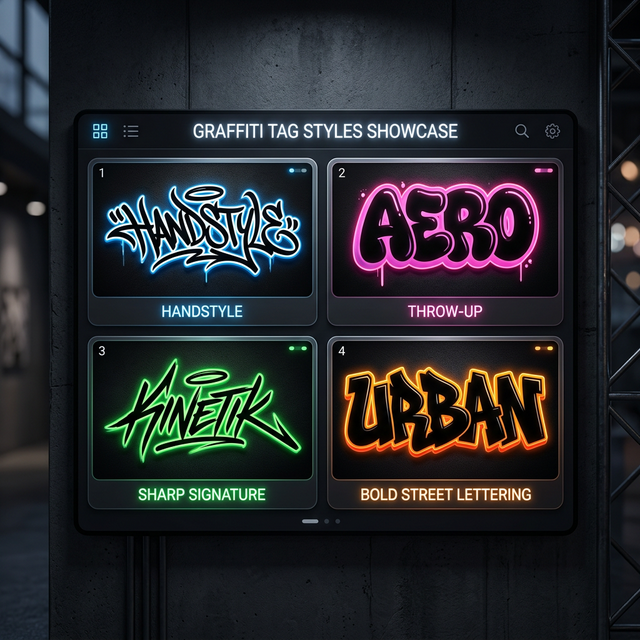
Styles You Can Explore with Graffiti Tag Generator
Graffiti Tag Generator supports multiple directions, from handstyle-inspired signatures to louder bubble and throw-up looks. The point of Graffiti Tag Generator is to help you compare short identity marks, not just decorate random text.
Handstyle-Inspired Styles
Graffiti Tag Generator works well with handstyle-inspired strokes when you want a tag to feel personal, fast, and signature-led.
Bubble and Throw-Up-Inspired Styles
Graffiti Tag Generator can push rounder, louder shapes when you want a bolder alias or gamer tag silhouette.
Sharp Signature Styles
Graffiti Tag Generator is useful for cleaner signature looks when you want short text to stay recognizable at a glance.
Bold Street Lettering Styles
Graffiti Tag Generator supports heavier street lettering when you want more weight without losing the feel of a compact tag.
Digital and Experimental Styles
Graffiti Tag Generator also covers digital and experimental looks when your tag needs a less traditional identity.
How to Use Graffiti Tag Generator for Short Aliases and Signatures
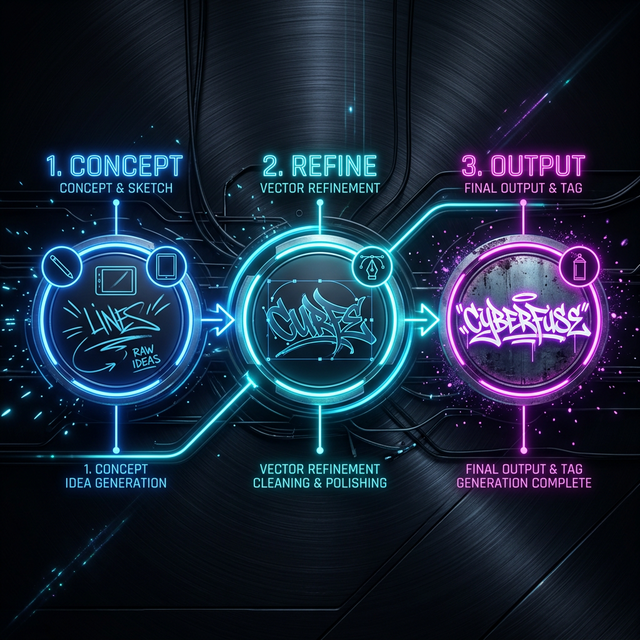
Graffiti Tag Generator works best when the workflow stays simple: short input, fast comparison, and a final tag you can actually use.
Enter a Short Alias, Name, or Initials
Graffiti Tag Generator works best when the input stays short. Graffiti Tag Generator gets stronger rhythm and cleaner shape from compact text.
Compare a Few Signature-Style Directions
Graffiti Tag Generator becomes more useful when you compare several styles instead of forcing the first result to carry the whole identity.
Download the Tag You Would Actually Use
Graffiti Tag Generator should end with a tag you can use for profiles, stickers, social visuals, or lightweight branding.
What Makes a Good Graffiti Tag
A good graffiti tag is short, recognizable, and visually distinct. Graffiti Tag Generator is strongest when it helps you create that balance instead of overcomplicating the shape.
Best Ways to Use a Graffiti Tag
Graffiti Tag Generator works well for profile graphics, gamer names, artist aliases, social visuals, sticker concepts, and lightweight personal branding. Graffiti Tag Generator is more expressive than plain text and lighter than a full logo system.
Graffiti Tag Generator vs Font Generator vs Online Generator
Use the right page for the right job. Graffiti Tag Generator is for short identity marks, while the other pages serve broader or more readable text workflows.
When to Use Graffiti Tag Generator
Graffiti Tag Generator is the best fit for short aliases, initials, gamer tags, and signature-style text that should feel personal and compact.
When to Use Graffiti Font Generator
Graffiti Tag Generator is not the best choice for longer readable text. Switch to Graffiti Font Generator when you need logo text, wordmarks, or cleaner lettering.
When to Use Online Graffiti Generator
Graffiti Tag Generator is the narrower signature page, while Online Graffiti Generator is the broader browser-based starting point for text, letters, and tags.
When your tag starts needing more readability, switch to Graffiti Font Generator. If you still want a broader browser-based starting point for text, letters, and tags, use Online Graffiti Generator.
If you want the clearest boundary between compact tags and readable lettering, read graffiti tag vs graffiti font. If the final result needs to work for logos, social profiles, or creator branding, read how to make a graffiti name.
Tips for Choosing the Right Style
Start with readability, then move toward personality. Graffiti Tag Generator usually performs better when you compare a few short options instead of forcing one long phrase into a tag workflow.
Graffiti Tag Generator FAQ
Is the Graffiti Tag Generator free to use?
Yes. Graffiti Tag Generator is free to use for quick online testing, style comparison, and PNG export.
What kind of text works best in a tag workflow?
Graffiti Tag Generator works best with short names, aliases, initials, and gamer tags because compact text creates stronger rhythm and cleaner recognition.
Is Graffiti Tag Generator better for short aliases than longer text?
Yes. Graffiti Tag Generator is built for shorter signature-style outputs. For longer readable logo text or wordmarks, Graffiti Font Generator is the better fit.
Can I use a tag for avatars or creator branding?
Yes. A tag result can work for avatars, creator signatures, social visuals, sticker ideas, and lightweight personal branding.
What is the difference between a tag and a throw-up?
In Graffiti Tag Generator, a tag usually feels faster and slimmer, while throw-up-inspired styles feel rounder, louder, and more inflated.
When should I use the font page or the online page instead?
Use Graffiti Tag Generator for compact signature-style text, use Graffiti Font Generator for more readable lettering, and use Online Graffiti Generator when you want a broader browser-based entry point.